❯ open ~/your-project

Open a folder.
Get the whole workspace.

A fast, native macOS terminal built around projects. Terminals, files, a code editor, Git and Claude Code, together in one lightweight app.

Free · macOS 13 or later · Apple Silicon and Intel · By T11N Team

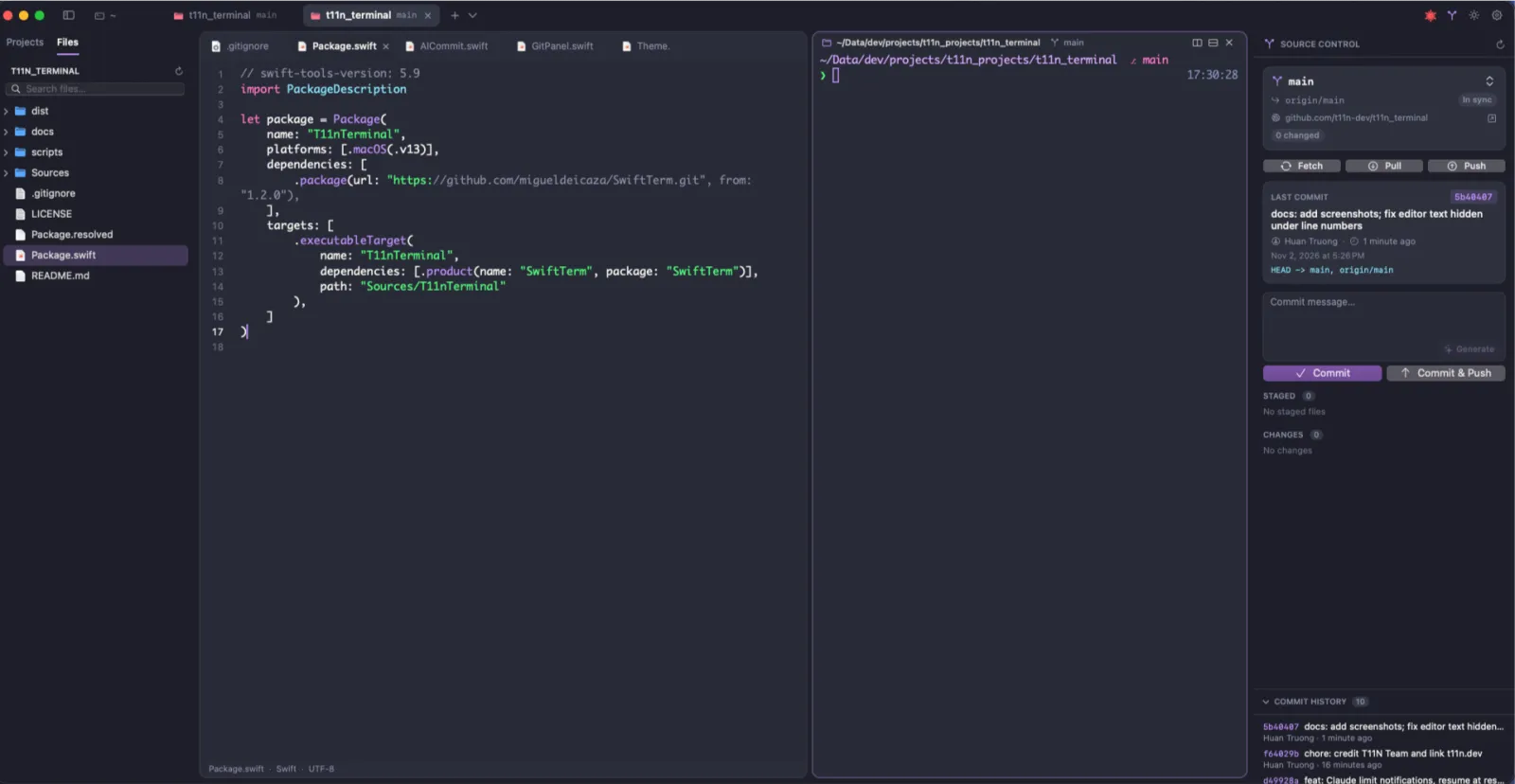
T11N Terminal with a file explorer, code editor, terminal and Git panel in one window
40 MB
of memory at idle, with one shell
Native
Swift and AppKit, no browser engine underneath
6.6 MB
download, as a universal app
No telemetry
network only through tools you run

One tab per project, with everything in it.

Every project opens as a tab with split terminals, a file tree, an editor and a full Git workflow. There is no separate IDE to launch.

  • Split panes, each showing its folder and Git branch
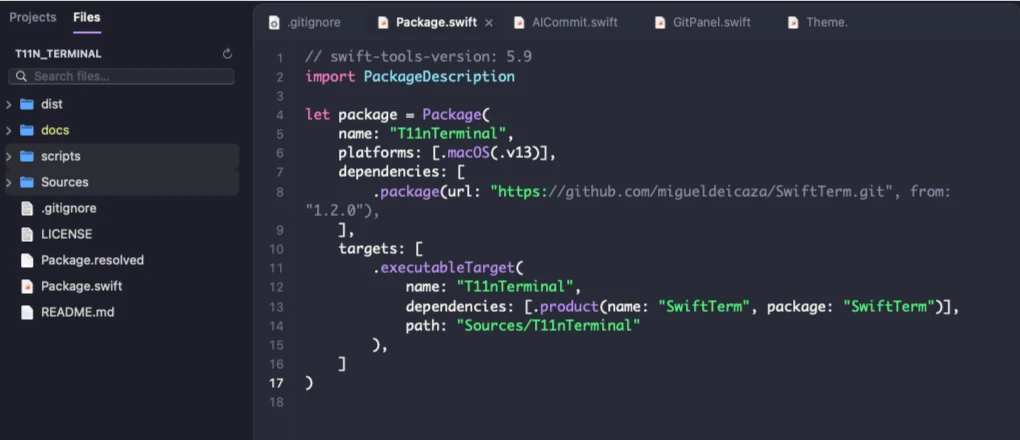
  • File explorer with Git status colors and Finder copy and paste
  • Fuzzy file search that respects .gitignore
File tree beside a code editor showing Package.swift
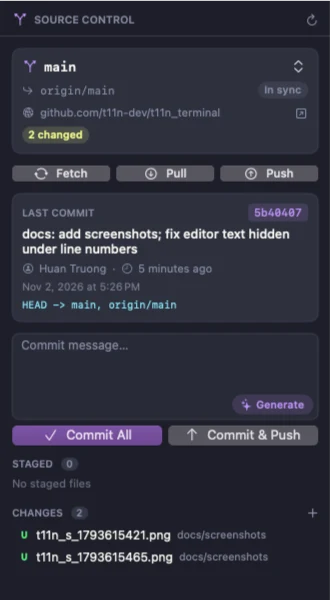
Git panel showing branch status, last commit, a commit message box and changed files

Git next to your shell.

Stage, diff, commit, pull, push and switch branches without leaving the window. Branch, upstream, ahead and behind counts, stashes and the last commit are always in view.

  • Full commit history with infinite scrolling
  • AI commit messages written on your Mac by Apple Intelligence, so no code leaves your computer (macOS 26 or later)

What's in the app

terminal

Full xterm-256color and true color, powered by SwiftTerm. Command highlighting as you type, and suggestions from your history. Press Tab or → to accept one.

Your own setup comes first: oh-my-zsh, starship, powerlevel10k, zsh-syntax-highlighting and zsh-autosuggestions are detected and left alone.

editor

Line numbers, syntax highlighting for about 20 languages, auto-indent, and find and replace.

Markdown renders GitHub-style. CSV and TSV open as a sortable table. PDF, Word, RTF and ODT have viewers, and Quick Look covers images, spreadsheets, slides and media.

claude code

See your 5-hour and weekly usage for each account, refreshed every 15 minutes without using any quota. Get a notification at 95% and 100% of a limit, and optionally resume waiting sessions when it resets.

Use several accounts, such as personal and work. Sign-in uses Claude Code's own claude auth login, and T11N Terminal never reads or stores your Claude credentials. Switching is always manual and confirmed. Use multiple accounts only as Anthropic's terms allow, not to get around usage limits.

ssh

Connect with a password, a key file, or your ssh-agent and ~/.ssh/config. Saved connections sit in the sidebar and each opens in its own tab.

Browse the server's files in the sidebar. Passwords are stored only in the macOS Keychain.

Eight themes, light and dark.

Choose Light, Dark or System, with a separate theme for each. Minimum text contrast keeps output readable when a program picks colors meant for the other theme.

~/projects/t11n_web  ⎇ main
❯ git status --short
 M src/app/page.tsx
?? src/app/pricing.tsx

~/projects/t11n_web  ⎇ main *
❯ npm run build
✓ Compiled successfully

~/projects/t11n_web  ⎇ main *
❯ 

Keyboard first.

⌘T
New tab
⌘O
Open project
⌘D ⇧⌘D
Split right, split down
⌘] ⌘[
Next, previous pane
⌘B
Toggle sidebar
⌃⇧⌘G
Toggle Git panel
⌘↩
Commit
⌥⌘G
Generate commit message
⇧⌘U
Claude accounts and usage
⇧⌘K
SSH connection
⇧⌘L
Toggle light and dark
⌘,
Settings

Install

  1. Download the zip for version 1.0.1.
  2. Unzip it and move T11n Terminal.app to Applications.
  3. Open the app. The first launch needs one extra step.

Requires macOS 13 Ventura or later, on Apple Silicon or Intel.

Opening the app for the first time

T11N Terminal is not notarized by Apple yet, so macOS blocks the first launch with a message that it cannot verify the developer. Try to open the app and close the warning, then go to System Settings → Privacy & Security and click Open Anyway.

Or run this once in Terminal:

xattr -dr com.apple.quarantine "/Applications/T11n Terminal.app"

You only need to do this once for each downloaded version.

T11N Terminal app icon, a chevron and cursor on a dark blue tile

Bring your projects into one window.

Download for macOS